
Changelog

Follow new updates and improvements to Astra Security.

Connectivity Check Error Support & Platform Improvements
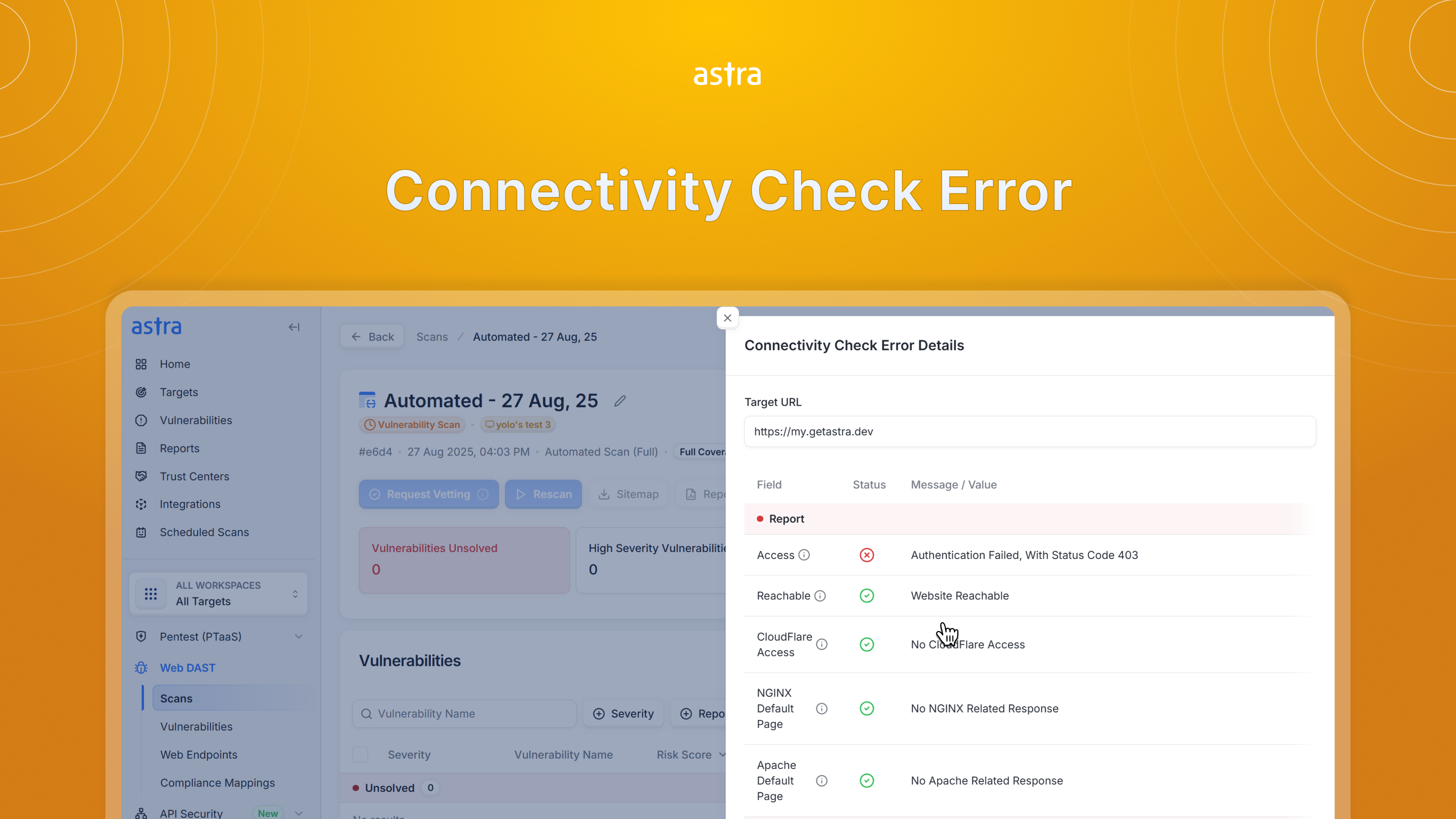
This release introduces troubleshooting for connectivity check failures, giving you clear insights and self-serve resolution steps. Alongside this, we’ve expanded pentest scheduling to cover more asset types, improved scanning workflows, and delivered key bug fixes to ensure a smoother, more reliable experience.

New Feature:

  • Connectivity Check Failure
    We’ve enhanced the way connectivity check failures are communicated on the Astra OrbitX Platform. Instead of just showing a failure message, you will now see actionable insights and easy troubleshooting tips to help resolve issues faster. With this update, you can now:

    • Understand the reason behind a failed connectivity check

    • Receive guided troubleshooting steps

    • Quickly identify whether the issue requires configuration changes on your end

    • Save time by resolving common connectivity problems without external support

Improvements:

  • Pentest Scheduling for Other Assets: You can now schedule Manual Pentests for iOS, Android, and “Other” asset types from the Start Scan flow, while automated scans remain disabled for these assets.

  • Shift + Click Support: Added Shift + Click support in the target selector to quickly select multiple targets at once.

  • Force-Start Crawl Scan: Added an option to force-start a crawl scan when needed.

Bug Fixes:

  • OpenAPI File Upload Error: Fixed an issue in API target setup where uploading a valid OpenAPI YAML spec incorrectly threw an “invalid format” error

  • Access Revoked Error: Fixed an issue where users sometimes continued seeing a Forbidden message even after their access was removed. Now, revoked access is reflected instantly without leaving error screens.

  • Integrations Page Stability: Resolved a recurring loading problem on the Integrations page so it works without cache clears or hard refreshes.

  • UI Overlap: Fixed a layout issue where a popover overlapped the side sheet on the Integrations page.

  • Scan Type Filter: The Scan Type filter now works correctly in the Web DAST Scans list view.

  • Compliance Vulnerabilities Page: Resolved a page loading issue so the Compliance vulnerabilities view opens reliably.

  • Findings Loading Issue: Fixed an issue where findings failed to load for some customers in the vulnerability details sheet.

  • Asset Type Filter: Corrected the asset type filter behavior in the Start Scan sheet. It is now working seamlessly.

  • Persistent Error Page: Fixed cases where an error page persisted even after cache refresh and data clearing.

  • Endpoints Page Counter: Corrected the Unauthenticated endpoints counter so it displays the accurate count.
NewImprovedFixed

Custom Login Support, OpenTelemetry SDK Instrumentation & More

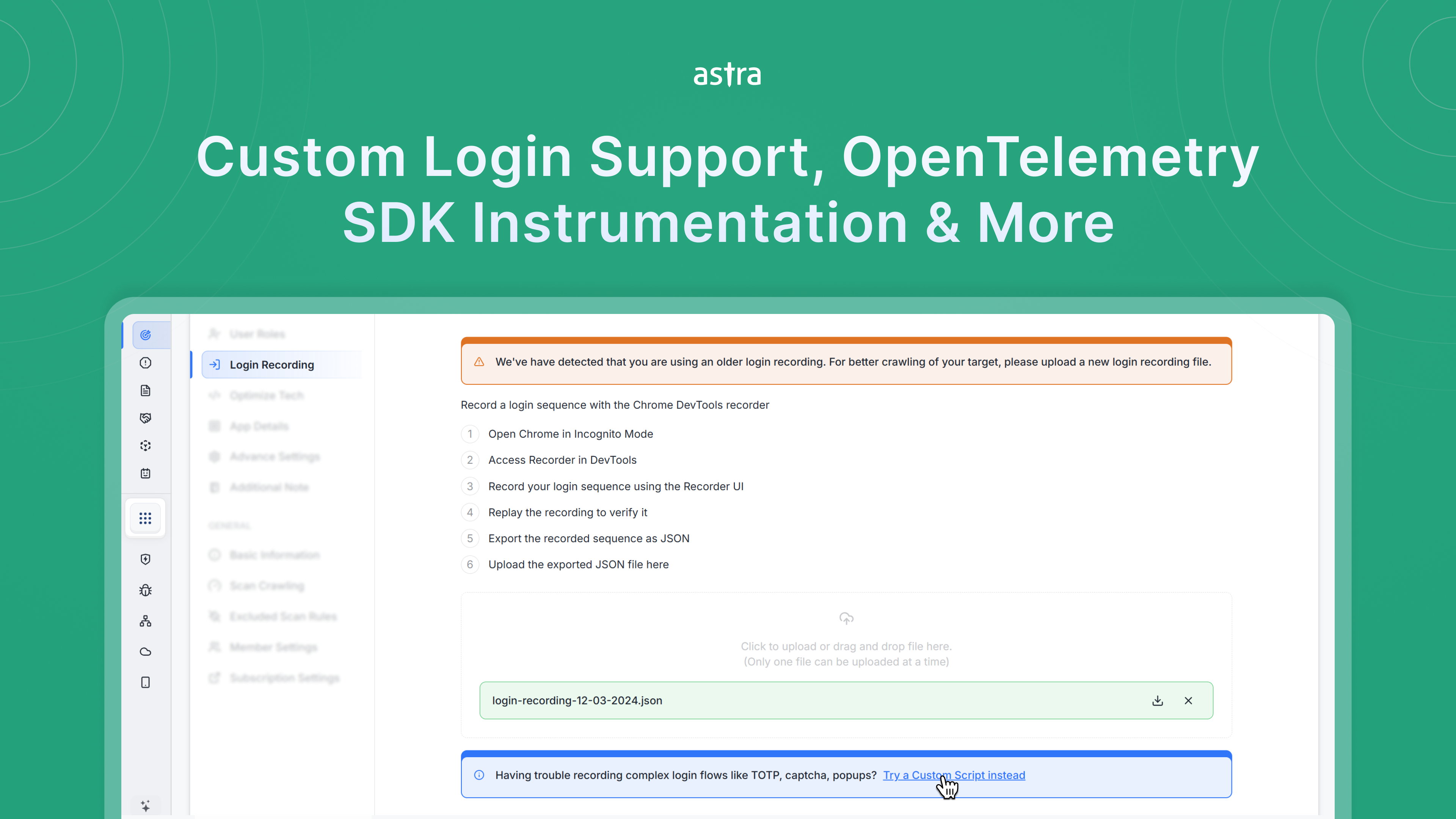
This release brings expanded support for custom login flows in web scans—helping you cover more complex authentication scenarios with ease along with OpenTelemetry SDK integrations to give you more flexibility in capturing and analyzing API traffic.

Apart from these, we’ve also made improvements that simplify target management, provide clearer visibility into subscriptions, and ensure a smoother overall product experience

New Features:

  • Custom Login Support for Web Scans: We’re excited to introduce support for custom login scripts in the Astra OrbitX Platform, this ensures more of your application is covered during automated scans, unlocking deeper insights and stronger security with less manual effort.

    • With this update, our scanner can reliably handle complex login methods such as:

      • Multi-factor authentication (including TOTP-based)

      • Email-based verification and magic links

      • Pop-up or modal-based logins

      • And many more unique authentication setups

  • OpenTelemetry SDK Instrumentation: We're excited to announce OpenTelemetry SDK Instrumentation Integrations in the Astra API Security Platform, giving you more flexibility to capture and analyze API traffic across your applications.

    • Ingest API traffic directly from OpenTelemetry collectors.

    • Seamlessly integrate with existing observability pipelines

    • Capture traces from popular SDKs such as Python, Node.js, Go, and Java.

    • Automatically collect request and response data without complex setup.

Improvements

  • Consistent Progress Display: The progress section now has a stable, consistent width, making it easier to track progress without layout shifts.

  • Clearer Checkout Details: When selecting a collapsed plan card in checkout, its line items automatically expand — no need to click “Show Features” again.

  • Pentest Completion Guidance: A new banner appears when a pentest finishes early, helping you clearly understand the next steps.

Bug Fixes

  • More Helpful Error Messages: When a request is blocked, you’ll now see a clear explanation instead of a generic error, helping you troubleshoot faster.

  • Resize Progress Bars Issue: Fixed an issue where progress bars resized unpredictably — progress indicators now remain consistent across the platform.

  • Save Changes Button Fixed: In the login recording section, the Save Changes button now works properly — updates like session length are saved as expected.

  • Subscription Card Fixed: The Show More button in subscription cards now works reliably, ensuring you can view all subscription details.

  • Reported Vulnerabilities Visibility: Fixed an issue where reported vulnerabilities weren’t showing up on the dashboard — all reported issues are now visible.

NewImprovedFixed

Consistent Styling, Easier Access & Key Fixes

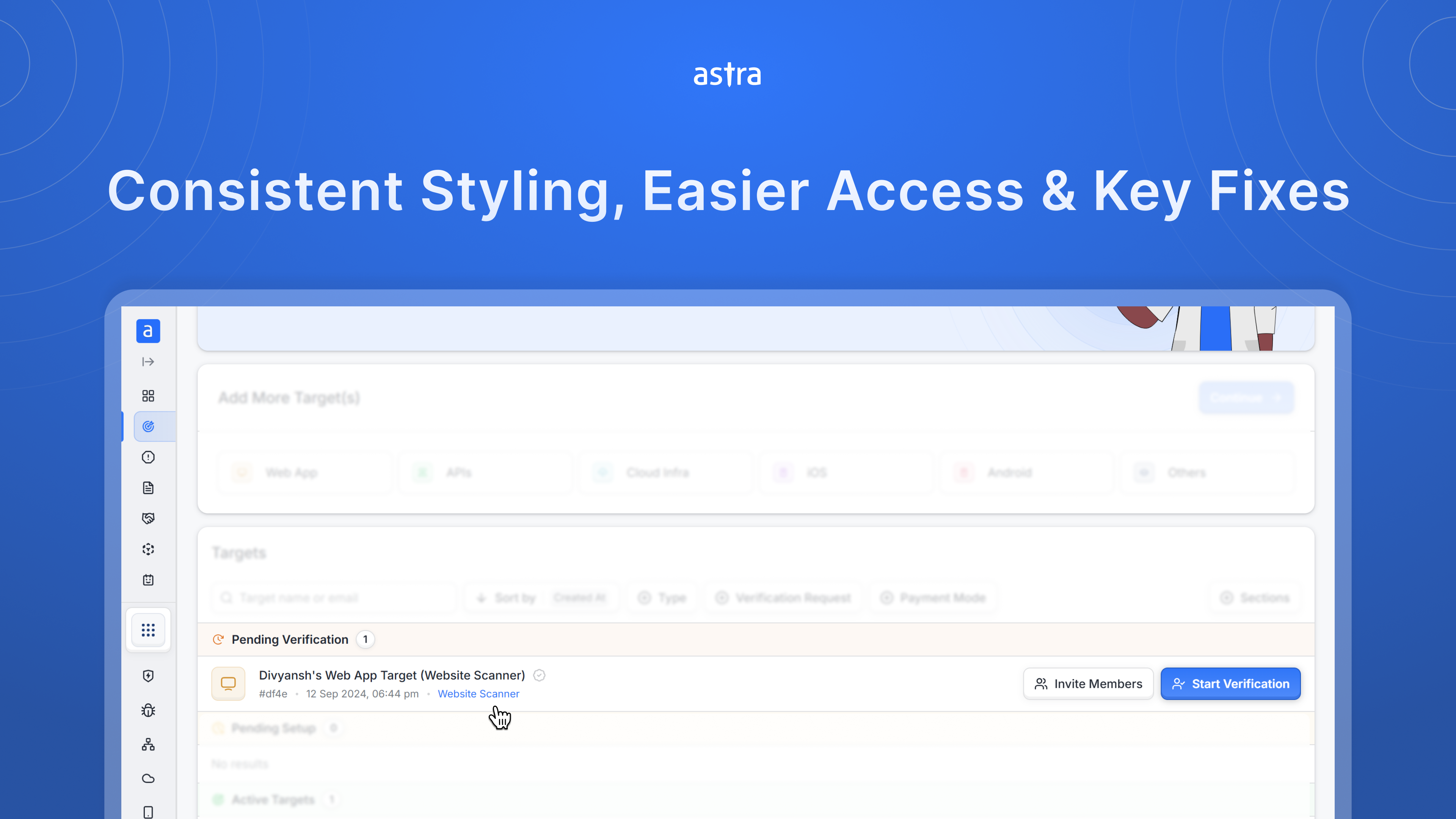
This release focuses on creating a smoother experience across the platform—standardizing UI elements, making subscription details easier to reach, and resolving issues affecting navigation and role assignments.

Improvements

  • Subscription Link in Target Settings – Each target now displays its active plan in the info row. Clicking on it takes you directly to the subscription page, automatically filtered to that subscription so you don’t have to dig around to find the right subscription.

  • Consistent UI Styling – Updated the scan details header UI for better alignment and styling consistency across the platform.

  • Subscription Status Tooltips – Paused, cancelled, or deleted subscriptions now display clear tooltip messages for better feedback.

Bug Fixes

  • Sidebar Scroll Issue – Fixed a scrolling issue in the main sidebar for smoother navigation.

  • Invite Member Role Assignment – Resolved an issue where invited members weren’t being assigned the correct roles.

ImprovedFixed

Earlier updates