What we shipped in Q3!
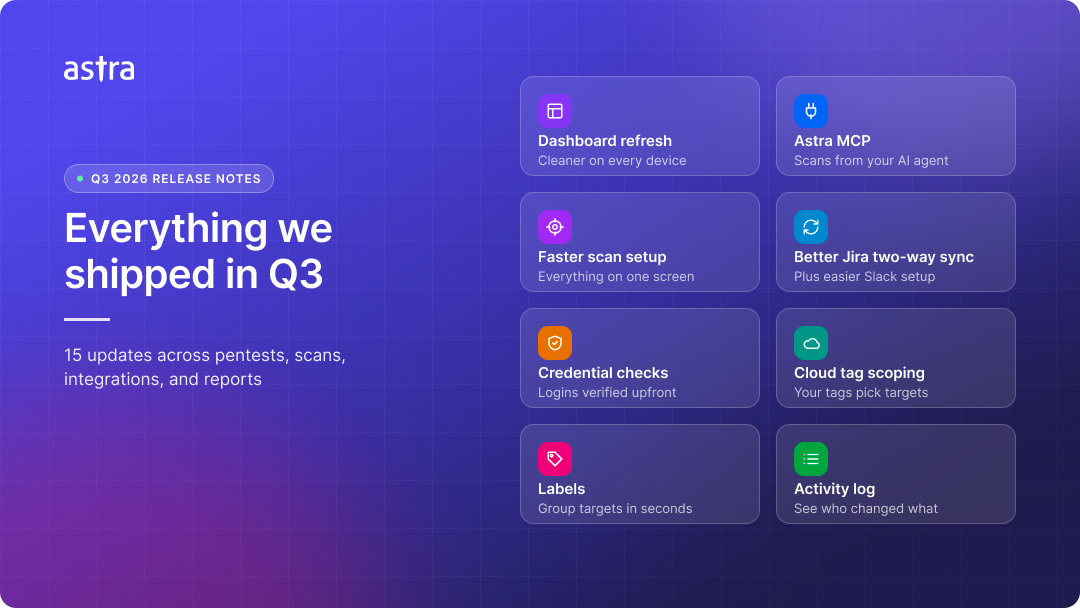
Work faster with a cleaner dashboard
The dashboard has a cleaner, quieter design, and everyday tasks keep the same steps. This means less time hunting for information and more time acting on it.
Find what you need faster: one Add Filter menu works across tables, and a page-level All Targets picker scales to large workspaces. Scheduled scans split into Active and Paused.
Know where every pentest stands: a stage-by-stage progress timeline and an estimated completion time on every pentest. If a run fails or is cancelled, you see why and what to do next.
A seamless experience on every device: enjoy a consistent, mobile-friendly experience across all pages.
Astra MCP for AI agents 📖
Connect an AI agent to Astra and run your security work from your editor or chat. This means fewer trips to the dashboard for routine tasks.
Start and cancel scans, and manage recurring schedules.
Generate reports and list the ones you already have.
Get guided help with DAST login recording and HAR file validation.
Set up from Settings with ready-to-use prompts. Sign-in uses OAuth.
Launch scans from one screen 📖
The Start Scan flow now fits on one screen. This means you can configure and launch a scan without clicking through multiple steps.
Pick category, type, objective, testing approach, and targets in one place.
Select several compliance objectives, such as SOC 2, ISO 27001, and PCI DSS, for the same pentest.
Improved Jira and Slack Integrations 📖
Your integrations are quicker to set up across targets and stay in sync with less manual work. This means your team tracks fixes where it already works.
See every target next to its Jira project in one table, configure several targets together, or copy the setup from a target that already works.
Sync with Jira pushes unsynced vulnerabilities from a scan or pentest, even one started before the Jira integration was set up.
Jira custom fields can auto-fill per issue, such as a calculated date or text with the target name or severity, and images and videos in comments sync both ways.
Replace expired Jira and Slack tokens from the dashboard, with clear connection status messages.
Schedule scans across targets at once 📖
Recurring scans and post-scan actions are faster to manage, especially across many targets. This means less repetitive work for large accounts.
Create one schedule and apply it to many targets in a single pass.
A redesigned schedule editor with a Monthly quick setup that remembers your time zone.
Select several completed scans and act on them together.
Set up API and mobile targets faster 📖
API and mobile targets are quicker to get ready for testing. This means less time on setup and no workarounds for large apps.
API targets have a one-step setup that covers authentication, scope, schedule, and definition files in one place.
Mobile targets now accept APKs up to 1 GB.
Catch credential issues early 🔗
Astra checks that your Postman collection and credentials can log in to your API before testing begins, and shows the result for each endpoint. This means fewer pentests stalled waiting on updated files. Available for API and web targets on selected plans.
Scan only the cloud that matters 📖
Connect your cloud account once and let your tags decide what Astra scans. This means no separate targets or narrowed-down access for each environment, and reports free of noise from test resources.
Scan only what you care about by adding a tag such as
env=production.Skip test or fragile resources with a tag such as
do-not-scan=true.Tag new resources as you create them, and the next scan picks them up with no change in Astra.
Triage faster with stronger proof 📖
Vulnerabilities come with stronger proof and a clearer view per product. This means faster triage and an easier hand-off to your developers.
Vulnerabilities show validator screenshots, or textual proof such as curl output when no screenshot exists.
Companies with access can download the full HTTP message for a finding.
The Vulnerabilities page now shows findings separately for each product, so pentest findings no longer mix with, or get replaced by, results from later automated scans.
Failed scans now appear on the Scans page, where you can delete them.
Cut noise without losing coverage 📖
Fine-tune which findings you exclude without giving up coverage. This means less noise without switching off whole scanner rules.
Exclude a finding for one evidence type instead of excluding the whole rule.
Pause and resume an exclusion from settings.
Share more complete reports 📖
Reports carry more of the detail your auditors and developers ask for. This means less back-and-forth after you share results.
Vulnerability summary reports include affected components.
Network targets can record several device IPs, and reports list every one of them in scope.
Organize targets with labels 🔗
Organize targets your way with labels. This means finding and grouping the right targets takes seconds, even in large workspaces.
Create, edit, color, and group labels for your company or workspace.
Attach labels from the targets table or a target's settings, and assign them to many targets at once.
Filter by label in the Target Selector or the Start Scan flow, then Shift+Select the results to scan or manage the whole set in one go.
See who changed what with Activity Logs
See who changed what in your workspace. This means faster answers during audits and when something looks off.
Search the log and filter by action and entity type.
Expand any entry to see exactly which fields changed.
Stay informed by email
Astra emails the right people when something needs attention. This means no one has to log in just to learn a scan finished or stalled.
Everyone with target access can receive a PDF report link, valid for 7 days, when a pentest is reported or a scan is vetted, depending on your company settings.
If a scan stops because the login recording failed or the target is unreachable, you get the reason and a link to fix it.
Avoid scans that cannot connect 📖
Astra now confirms a web target is reachable before the scan starts. This means no credits wasted on scans that could never connect.